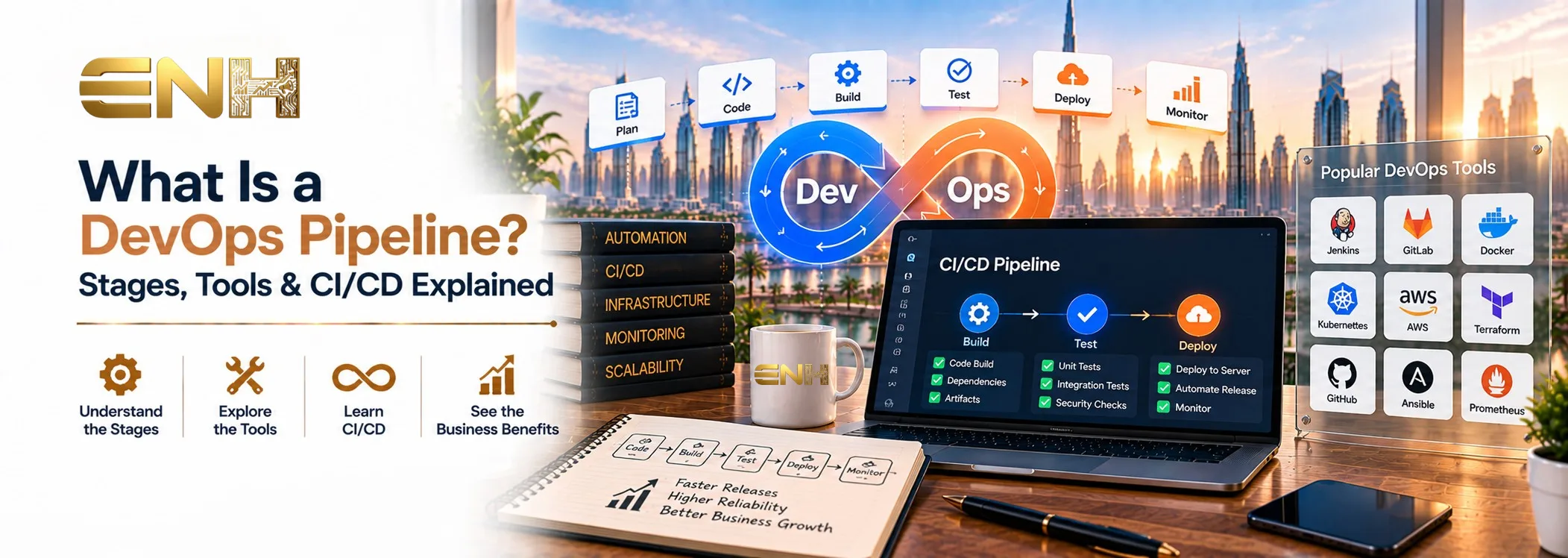
What Is a DevOps Pipeline? Stages, Tools & CI/CD Explained
 Vikas Kumar Singh
Table of Contents
- What Is a DevOps Pipeline?
- How Does a DevOps Pipeline Work?
- What Are the Main DevOps Pipeline Stages?
- What Is a CI/CD Pipeline and How Does It Fit Into DevOps?
- What Is DevOps Automation?
- DevOps Pipeline Architecture
- Common DevOps Pipeline Tools
- DevOps Pipeline Example for Web Development
- What Are the Benefits of a DevOps Pipeline?
- Common DevOps Pipeline Challenges
- DevOps Best Practices
- How to Build a DevOps Pipeline
- When Does a Business Need a DevOps Pipeline?
- Frequently Asked Questions
- Final Thoughts
A DevOps pipeline is an automated workflow that moves code from development through building, testing, release, deployment, and monitoring. It connects development and operations processes so teams can release updates more consistently and with less manual work. In modern web development, DevOps automation helps teams replace repetitive manual releases with a more consistent process for building, testing, and deploying updates.
If you want the bigger picture on how websites and applications get built in the first place, see our guide on what web development is.
What Is a DevOps Pipeline?
A DevOps pipeline is an automated workflow that takes code from a developer's commit through building, testing, release, deployment, and monitoring, with minimal manual intervention along the way.
In practice, a DevOps pipeline is a series of connected stages: code moves through defined steps, testing and integration happen before anything reaches production, and the process is repeatable rather than reinvented for every release. Monitoring continues after deployment to catch issues testing might have missed. Put simply, the DevOps process uses automation and repeatable workflows to move software changes from development to production more reliably.
How Does a DevOps Pipeline Work?
The DevOps workflow typically follows a straightforward sequence, even though the specific tools vary widely between teams.
A developer commits code to a shared repository.
A build is triggered automatically.
Automated tests run against the new code.
The code is prepared for release once it passes.
Deployment happens, moving the change into staging or production.
Monitoring provides feedback on how the change performs in the real world.
That's the core DevOps lifecycle, though it's rarely applied the same way everywhere. Teams often add approval gates, security checks, or staging environments depending on risk level, compliance needs, or how much manual oversight they want.
What Are the Main DevOps Pipeline Stages?
The DevOps pipeline stages below cover the core structure most pipelines share. These DevOps stages can be grouped differently depending on the platform, workflow, and deployment process.
Source and Version Control
Every change starts in a code repository, where version control tracks who changed what and when. This is the foundation the rest of the pipeline builds on - without a clear history of changes, nothing downstream is reliably repeatable.
Build
The build pipeline turns source code into deployable artifacts - compiled files, packages, or container images ready to move through the rest of the process.
Continuous Integration
With a continuous integration pipeline, builds and tests run automatically whenever code changes, rather than waiting for a scheduled check. This is central to a CI/CD pipeline. You may also see the term written as a CI CD pipeline, but both refer to the same continuous integration and delivery/deployment workflow.
Testing
Automated testing typically covers unit tests, integration tests, performance tests, and security checks where relevant. The goal is catching issues before they reach a real user, not after.
Release
The release pipeline, sometimes described as part of a continuous delivery pipeline, prepares validated code for production. Code is confirmed ready to go live, even if it doesn't deploy immediately.
Deployment
The deployment pipeline - whether it's a continuous deployment pipeline or a more controlled software deployment pipeline - moves validated changes into the live environment, with automation reducing the manual steps that used to make deployments error-prone.
Monitoring and Feedback
Once live, monitoring tracks performance, errors, and user impact - a feedback loop that lets teams catch problems quickly rather than hearing about them from frustrated users days later.
What Is a CI/CD Pipeline and How Does It Fit Into DevOps?
If you're wondering what a CI/CD pipeline is, it is the automated workflow used to integrate, test, prepare, and deploy code changes continuously - and it's worth being precise about what each term actually means, since they get used loosely.
Continuous Integration (CI) means developers merge code frequently, and automated checks run against every change to catch problems early.
Continuous Delivery means validated code stays in a releasable state at all times, though it may still require manual approval before it actually goes to production.
Continuous Deployment goes a step further: validated changes can move automatically to production without manual sign-off.
It's worth being clear on one point: CI/CD is a core part of many DevOps pipelines, but a DevOps pipeline can also include planning, security, infrastructure, monitoring, and feedback - CI/CD describes part of the workflow, not the entire concept of DevOps itself.
What Is DevOps Automation?
DevOps automation covers the parts of the pipeline that don't need a person to trigger them manually. That commonly includes builds, automated tests, code quality checks, security scanning, environment setup, deployments, and alerts when something goes wrong.
From a business standpoint, automation reduces repetitive manual steps and makes releases more consistent, running the same way every time rather than depending on who's handling it that day. That doesn't mean automation removes the need for human review - judgment calls and approvals still matter for higher-risk changes.
DevOps Pipeline Architecture
At a conceptual level, DevOps pipeline architecture typically includes a source repository, a build system, a test environment, artifact storage, a staging environment, a deployment platform, and monitoring. How these pieces connect varies by team and tooling, but the underlying structure tends to look similar across most setups.
Common DevOps Pipeline Tools
DevOps pipeline tools generally fall into a handful of categories: source control, CI/CD platforms, build automation, containers, orchestration, monitoring, and security scanning.
Examples across these categories include GitHub and GitLab for source control, Jenkins and GitHub Actions for CI/CD, Docker for containers, Kubernetes for orchestration, along with various cloud CI/CD platforms and monitoring tools. There is no universally best DevOps toolset. The right combination depends on the application's technology stack, hosting environment, team size, deployment frequency, security requirements, and existing development workflow.
DevOps Pipeline Example for Web Development
Consider a simple DevOps pipeline example for web development:
A developer updates a web application and pushes the change to a repository. The build pipeline packages the application, automated tests run against it, the change is deployed to a staging environment, approval is given, production deployment follows, and monitoring checks for errors or performance issues afterward.
As a simple flow: Code → Build → Test → Staging → Approval → Production → Monitoring. That sequence is a useful mental model, even though real pipelines often have more branching and additional checks depending on the project.
What Are the Benefits of a DevOps Pipeline?
The main benefits of a DevOps pipeline come from making software delivery more consistent, automated, and observable. These benefits can include faster release cycles, fewer manual errors, earlier bug detection, more consistent deployments, better collaboration between development and operations, easier rollback and recovery, and better visibility into how changes perform after deployment.
These benefits come from structure and consistency, not any single tool - a well-designed pipeline with modest tooling can outperform a sophisticated toolchain applied to a messy process.
Common DevOps Pipeline Challenges
Building a pipeline doesn't automatically mean a smoother process. Common challenges include too many disconnected tools that don't talk to each other well, inconsistent pipelines between teams working on the same product, difficulty integrating with legacy systems, weak secrets and security management, overly complex workflows that are hard to maintain, and unclear ownership over who's responsible for keeping the pipeline healthy.
Adding more automation isn't automatically better if the underlying process is poorly designed - automation tends to amplify whatever process is already there, for better or worse.
DevOps Best Practices
A few DevOps best practices can make pipelines easier to maintain and more reliable:
Automate repetitive steps.
Test changes early in the pipeline.
Use version control consistently.
Keep staging and production environments aligned.
Integrate security checks into the workflow.
Monitor applications after deployment.
Protect secrets and permissions.
Maintain rollback and recovery procedures.
Keep pipeline failures and performance visible.
How to Build a DevOps Pipeline
Define the release workflow.
Choose and configure source control.
Automate the build process.
Add automated testing.
Create a staging environment.
Define release and deployment rules.
Add monitoring and alerts.
Review and improve the pipeline over time.
There is no single DevOps pipeline design that fits every project. The right setup depends on the technology stack, hosting environment, team structure, deployment frequency, security requirements, and budget.
When Does a Business Need a DevOps Pipeline?
A DevOps pipeline becomes genuinely useful once a few patterns show up: software is released frequently rather than occasionally, multiple developers are collaborating on the same codebase, deployments are currently manual or error-prone, web applications get updated regularly, downtime actually matters to the business, environments are inconsistent between development and production, or the business needs a repeatable release process it can rely on rather than hoping each release goes smoothly.
Not every project needs this full structure. A simple, rarely updated website may not justify it; an actively developed web application almost certainly will.
Frequently Asked Questions
What is a DevOps pipeline in simple terms?
A DevOps pipeline is an automated process that moves code from development through building, testing, release, deployment, and monitoring, with minimal manual work. It helps teams release software updates more consistently and reliably.
What is the difference between DevOps and CI/CD?
DevOps is the broader practice connecting development and operations, including planning, security, infrastructure, and monitoring. A CI/CD pipeline specifically refers to the continuous integration, delivery, and deployment steps within that broader process.
What are the main DevOps pipeline stages?
The core DevOps pipeline stages are source and version control, build, continuous integration, testing, release, deployment, and monitoring and feedback. Exact names and groupings vary slightly depending on the team and tools used.
What tools are used in a DevOps pipeline?
Common DevOps tools include GitHub or GitLab for source control, Jenkins or GitHub Actions for CI/CD, Docker for containers, and Kubernetes for orchestration, alongside monitoring and security scanning tools. The right combination depends on the team's stack and needs.
Is a DevOps pipeline useful for web development?
Yes. A DevOps pipeline for web development helps teams release updates to websites and web applications more reliably, catch bugs earlier through automated testing, and recover quickly if something does go wrong after deployment.
Final Thoughts
A DevOps pipeline connects code, build, testing, release, deployment, and monitoring into one consistent, automated workflow. CI/CD is a major part of that process, automation makes delivery more repeatable, and monitoring and feedback complete the cycle by turning what happens in production into input for the next release. For more on how this fits into the broader picture of building a website or application, see our guide on what web development is, or explore our web development services in Dubai directly.
About Vikas Kumar Singh
Vikas Kumar Singh is the Development Head at ENH Consulting with 9 years of experience in web development, mobile app development, and technology-driven business solutions. He focuses on building reliable, scalable, and user-focused digital products that support business objectives and long-term growth. At ENH Consulting, Vikas contributes technical expertise across website development, application development, development strategy, performance, scalability, and modern technology solutions. He works closely with project teams to ensure technical decisions are aligned with functionality, usability, and business requirements. Through his articles, Vikas shares practical insights on web technologies, application development, software solutions, and the technical considerations businesses should evaluate when planning digital projects.